Program Status
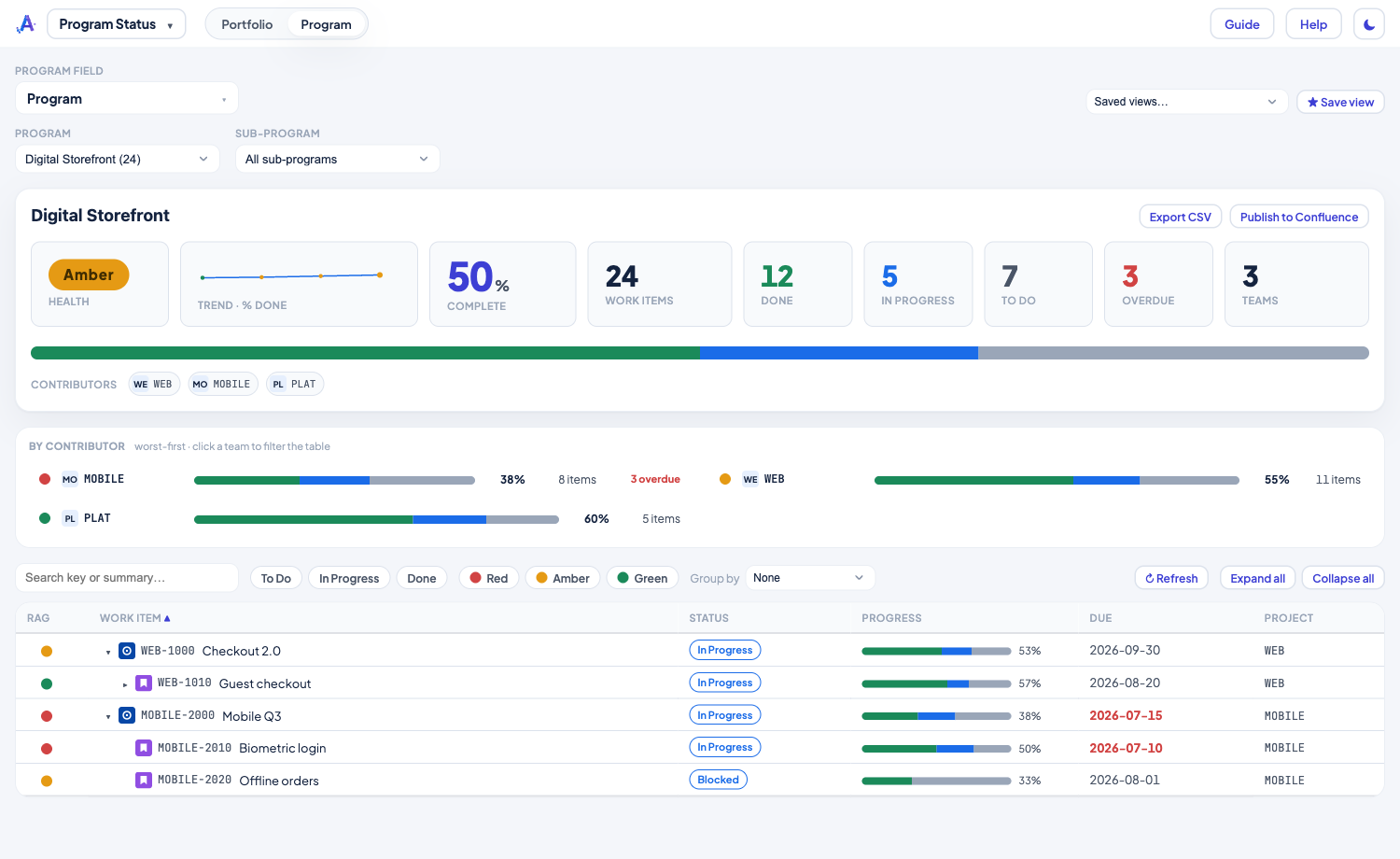
One up-to-the-minute rollup of a program — for the people you report to. Every work item that belongs to a program, across every contributing team, with live progress and a Red / Amber / Green health signal built for stakeholders.
Highlights
- You choose what marks a program — pick any single-select or cascading field; everything beneath a tagged item counts as part of that program, and the nearest tag above a piece of work wins.
- Progress at a glance — each bar shows the mix underneath an item: green done, blue in progress, grey to do, with the done share beside it.
- RAG you can trust — health blends an item's own deadline with how much of the work under it is slipping. Tune the at-risk window and amber/red thresholds, or point at a manual health field to override the calculation.
- Filter, sort & save views — click the To Do / In Progress / Done / Overdue tiles to filter, search by key or title, and save a view to recall a program in one click. Share it to make it available to everyone.
Read the full how-to in the Knowledge Base → Program Status guide
Related: Capacity Planning · System Dependency Map