Transition Gates
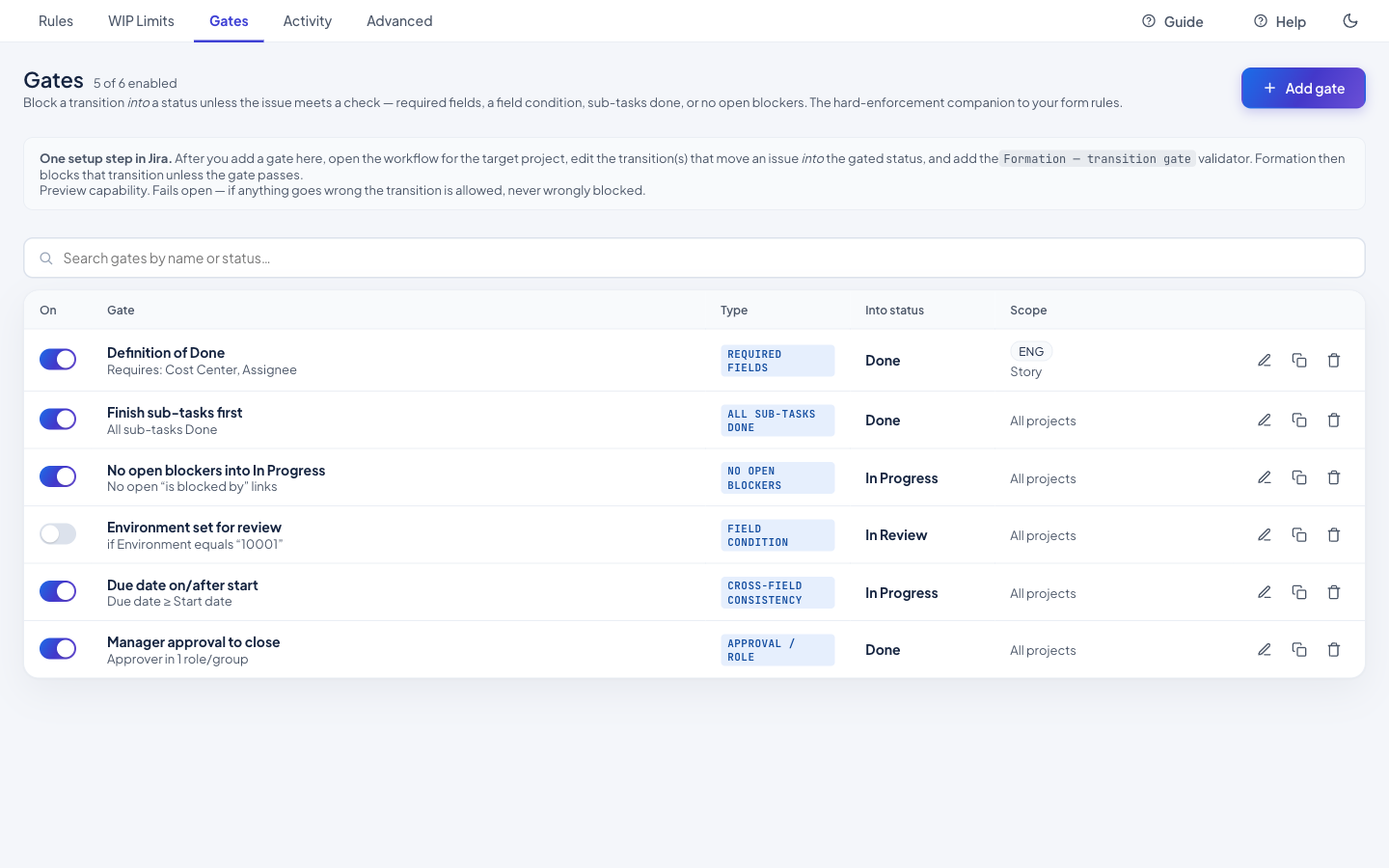
Stop issues from moving forward before they're ready. A transition gate holds a workflow move until the conditions you set are actually met — the right fields are filled, a cross-field rule holds, an approval is in place. If they aren't, the transition is refused with a clear explanation of what's missing.
Highlights
- Gate on what matters — require specific field values, a cross-field relationship (e.g. a resolution that matches the outcome), or an approval before the transition can complete.
- Clear on refusal — when a gate blocks a move, the person sees exactly which condition failed and what to supply, instead of a generic validation error.
- Point-and-click conditions — build the gate in the same readable condition editor as the rest of Formation; there is nothing to script and no post-function to maintain.
- Fails open, safe by design — enforcement is a Forge workflow validator; if a gate can't be evaluated the transition is allowed rather than wedged, so governance never freezes your workflow.
Read the full how-to in the Knowledge Base → Transition Gates guide
Related: WIP Limits · Field & Form Governance · Compliance Sweep