Field & Form Governance
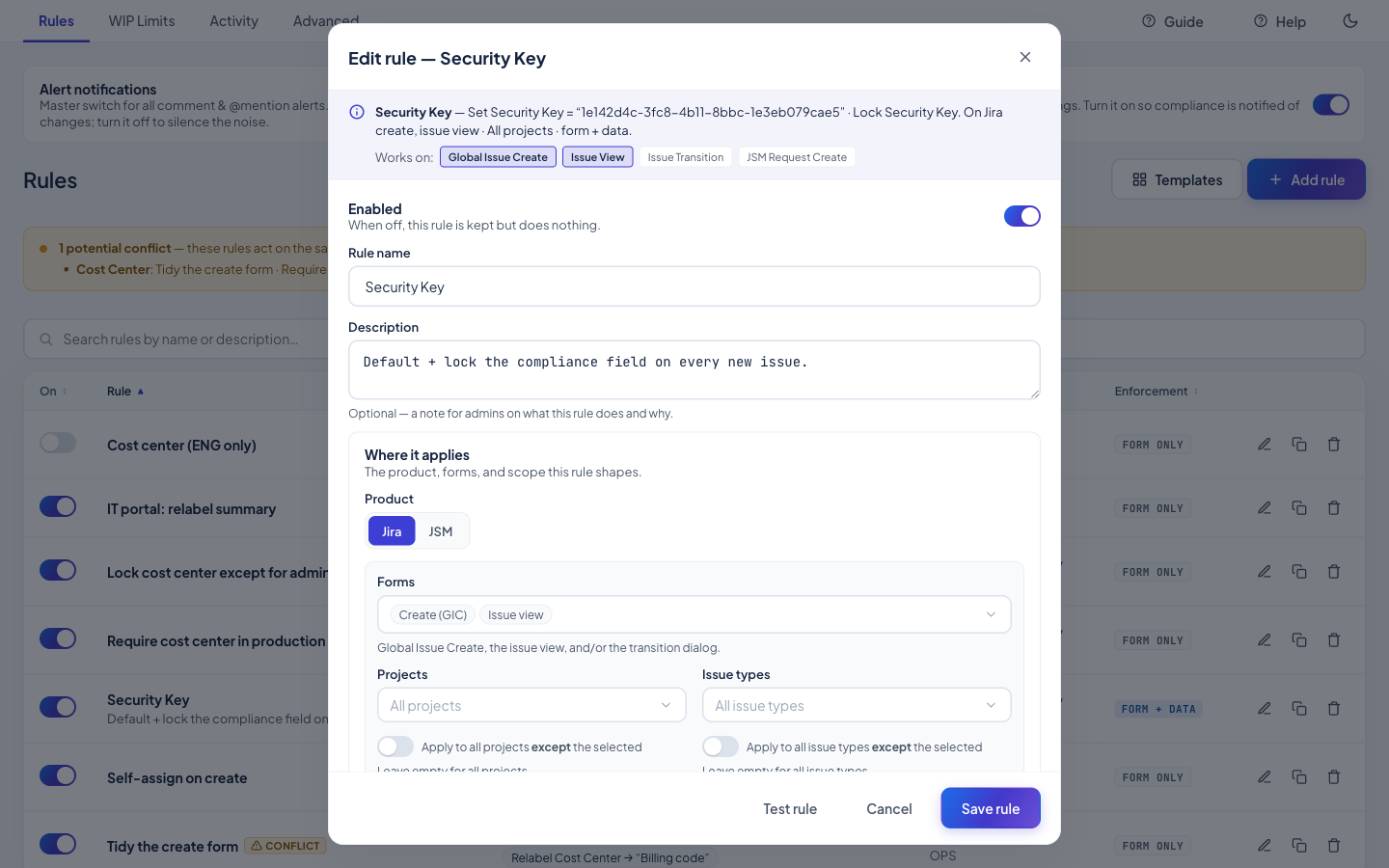
Your Jira forms, under governance — without a single line of code. Build simple, readable rules that pre-fill, lock, hide, require, relabel, filter, and validate fields on the Create screen, the issue view, and JSM portals. Rules apply live as people fill out the form — and, when you choose Form + data, a backend backstop re-checks and corrects values even on API and automation writes, so a rule can't be bypassed.
Highlights
- Point-and-click, plain language — pick the actions, the scope (product, projects, issue types, portals), the conditions, and the audience. A live summary reads the rule back to you in plain English; there's nothing to script.
- The full palette — set a default or fixed value, make a field required or optional, lock it read-only, hide or show it, relabel it or rewrite its help text, filter the options a dropdown offers, or validate and normalize what's entered.
- Form and data — choose Form only for a lighter touch, or Form + data to add a backend backstop that re-checks and corrects values on every write — including API and automation writes that never open a form.
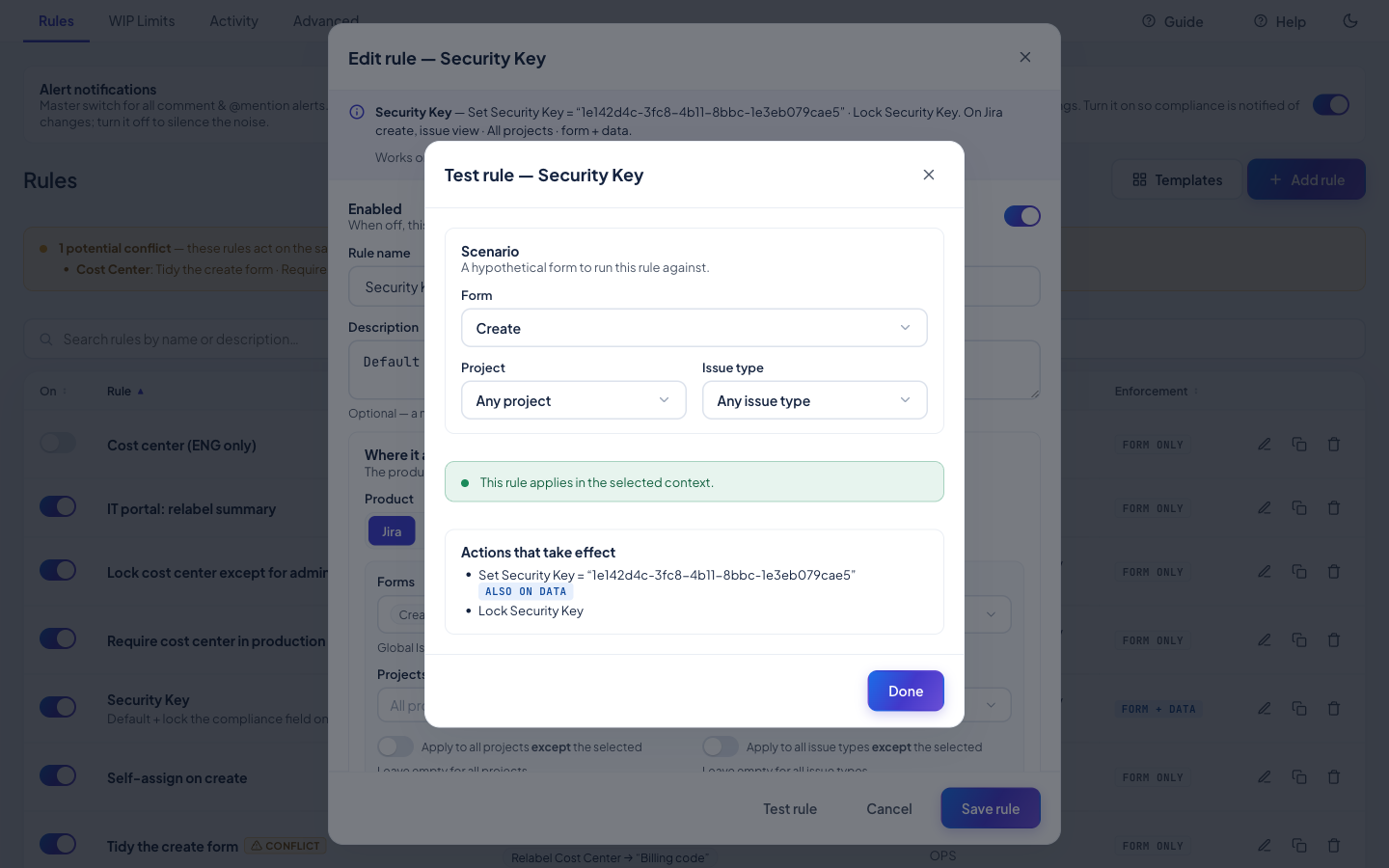
- Safe by design — a dry-run Test rule shows exactly what will happen before you save, automatic conflict detection warns when two rules fight over the same field, and every backend correction lands in the Activity log.
React to the form in real time
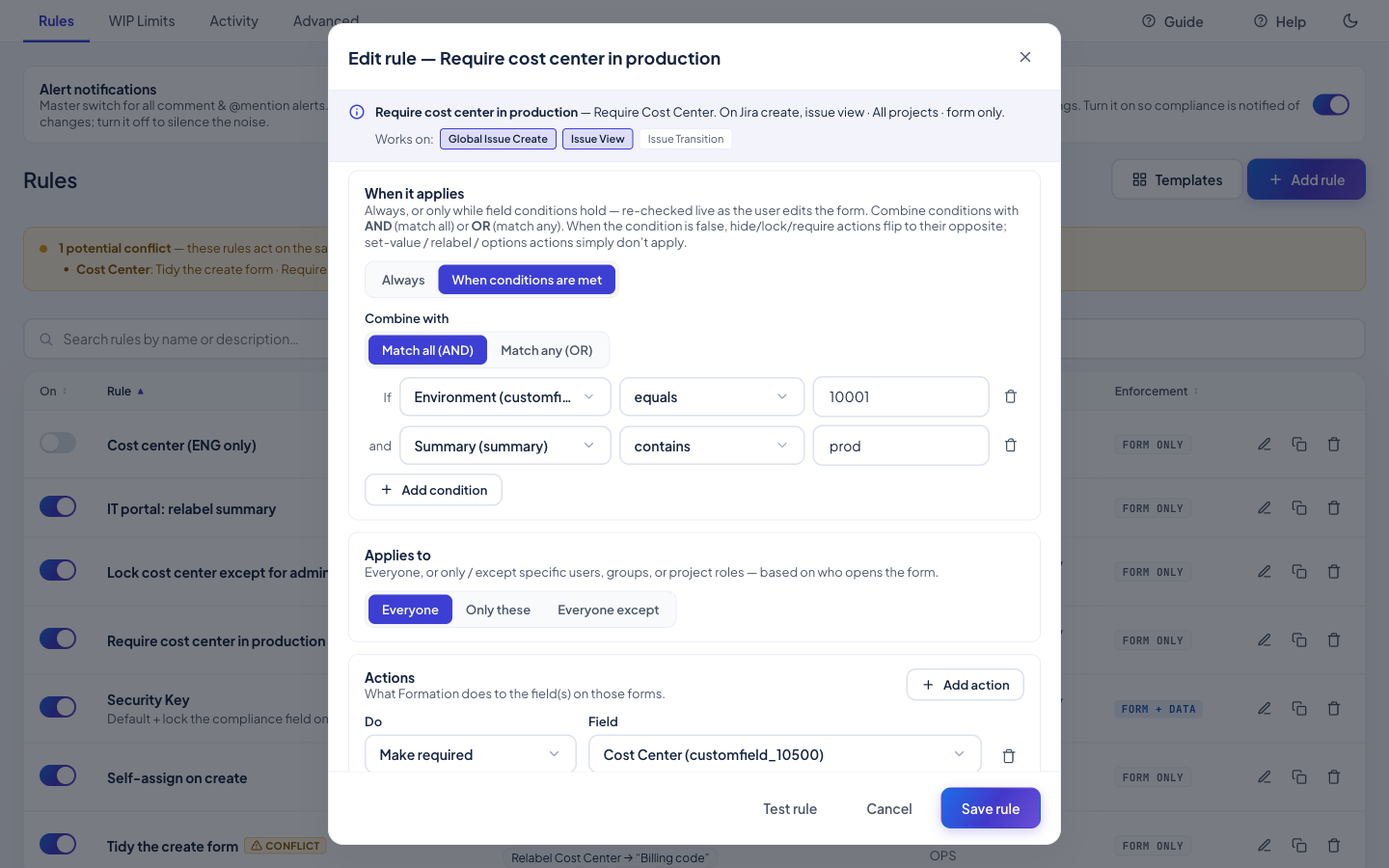
Rules can be conditional — require a Cost Center only when Environment = Production — and audience-scoped to the people who should see them. Conditions are evaluated live against the form, so a field appears, becomes required, or locks the moment its condition is met.
See exactly what will happen — before you save
Start from a template gallery of common patterns, duplicate any rule with one click, and inspect, import, or export your whole configuration as validated JSON for review, backup, or bulk changes.
Jira and JSM
Formation works across Jira and Jira Service Management. Set-value, hide/show, relabel, and help-text apply in both; lock, require, option-filter, and validate apply to Jira issue forms.
Read the full how-to in the Knowledge Base → Building Rules guide
Related: WIP Limits · Transition Gates · Activity & Audit